
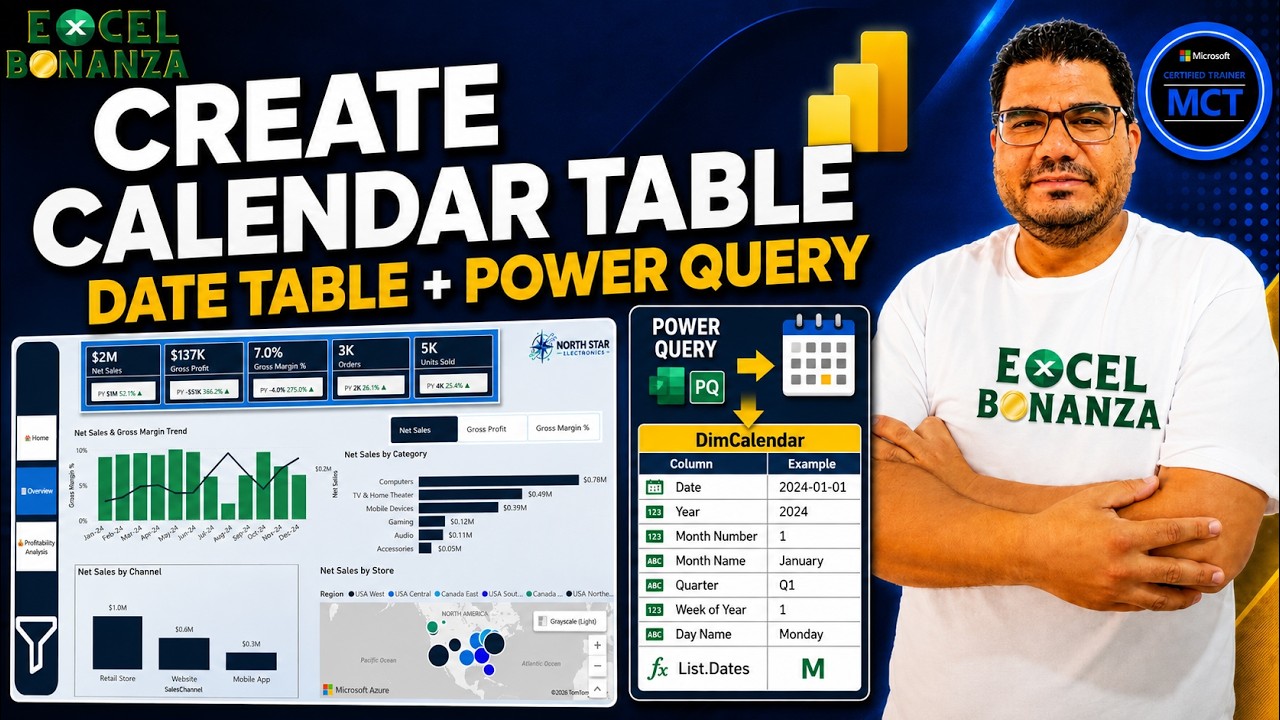

Learn how to create a Calendar Table in Power BI using Power Query and M language in this step-by-step tutorial for beginners. You’ll build a proper Date Table from scratch with List.Dates, add Year, Month, Quarter, Week and Day columns, and prepare your model for time intelligence calculations.
📥 Practice File for This Lesson:
https://excel-bonanza.kit.com/createcalendartablepowerbi
📥 Download the FREE Power BI Course Data Files:
https://excel-bonanza.kit.com/e603d04e14
📊 Get the Completed NorthStar Power BI Dashboard (.PBIX):
https://excel-bonanza.kit.com/products/north-star-finished-power-bi-dashboard?step=checkout
💼 Corporate Training & Data Analytics Consultation:
https://Excelbonanza.com/Contact
This lesson is part of my complete Power BI course for beginners, where we build the NorthStar Electronics Power BI solution step by step.
📅 WHAT YOU’LL LEARN
✅ Why every Power BI data model needs a proper Calendar / Date Table
✅ How to create a Calendar Table in Power Query
✅ How to create a Blank Query in Power BI
✅ How to use the Power Query Advanced Editor
✅ Introduction to the Power Query M language
✅ How to use List.Dates to generate a continuous list of dates
✅ How #date works in Power Query
✅ How to use Duration.Days to calculate the number of dates
✅ Why +1 is required when generating the complete date range
✅ How #duration controls the interval between dates
✅ How to convert a List into a Table
✅ How to create Year and Month Number columns
✅ How to create and shorten Month Name
✅ How to create Quarter values such as Q1, Q2, Q3 and Q4
✅ How to create Week of Year
✅ How to set Monday as the first day of the week
✅ How to create and shorten Day Name
✅ Transform vs Add Column in Power Query
✅ How to load your queries into the Power BI data model
💡 WHY A DATE TABLE MATTERS
A dedicated Date Table is one of the most important parts of a professional Power BI data model. It gives you a continuous date range and lets you analyze data by Year, Quarter, Month, Week and Day.
It also prepares your model for DAX time intelligence calculations such as Year-to-Date, Month-to-Date, previous-period comparisons and other time-based analysis that we’ll cover later in the course.
In this lesson, we create the DimCalendar table in Power Query for the NorthStar Electronics project. The source sales data covers 2023–2025, so the Calendar Table covers complete years from January 1, 2023 through December 31, 2025.
We then create useful date attributes including Year, Month Number, Month Name, Quarter, Week of Year and Day Name before loading all our queries into the Power BI semantic model.
In the next lesson, we’ll start building relationships between the tables and continue developing our Power BI data model.
━━━━━━━━━━━━━━━━━━━━━━
📂 COURSE RESOURCES
📥 Practice File:
https://excel-bonanza.kit.com/createcalendartablepowerbi
📥 FREE Course Source Data:
https://excel-bonanza.kit.com/e603d04e14
📊 Completed NorthStar Power BI Dashboard (.PBIX):
https://excel-bonanza.kit.com/products/north-star-finished-power-bi-dashboard?step=checkout
💼 Training & Consultation:
https://Excelbonanza.com/Contact
▶️ Complete Power BI Course Playlist:
https://youtube.com/playlist?list=PLMabY8pBxWZI&si=BLD6_jX_i4hAizOk
━━━━━━━━━━━━━━━━━━━━━━
🔗 FOLLOW EXCEL BONANZA
🌐 Website:
https://www.ExcelBonanza.com
▶️ YouTube:
https://www.youtube.com/@ExcelBonanza?sub_confirmation=1
💼 LinkedIn – Abdelrahman Abdou:
https://www.linkedin.com/in/abdelrahman-abdou-60240150/
💼 LinkedIn – Excel Bonanza:
https://www.linkedin.com/company/79950431
📘 Facebook:
https://www.facebook.com/ExcelBonanza
📸 Instagram:
https://www.instagram.com/excelbonanza1
🎵 TikTok:
https://www.tiktok.com/@excelbonanza
✈️ Telegram:
https://t.me/ExcelBonanza
𝕏 Twitter / X:
https://twitter.com/ExcelBonanza
━━━━━━━━━━━━━━━━━━━━━━
👍 If this Power BI tutorial helps you, LIKE the video, SUBSCRIBE to Excel Bonanza, and SHARE the course with anyone learning Power BI, Power Query, DAX, business intelligence or data analytics.
For the best results, download the practice file and build the Calendar Table alongside me.
#PowerBI #PowerQuery #PowerBITutorial
source
